
peter @aimyskin.com
+86-18031361872
- All
- Product Name
- Product Keyword
- Product Model
- Product Summary
- Product Description
- Multi Field Search
Views: 142 Author: Site Editor Publish Time: 2026-09-14 Origin: Site


Modern clinic and salon investments are shifting rapidly toward high-diagnostic capabilities. In this highly competitive landscape, a Windows-based operating system offers distinct processing and storage advantages over closed-loop tablet systems. They allow for faster local image processing and superior data ownership. Buyers often fixate purely on camera resolution while ignoring other critical elements. They overlook software stability, integration friction, and long-term supplier reliability. This narrow focus can easily lead to frustrating operational bottlenecks down the road.
To make a sound investment, clinics, distributors, and salon owners must evaluate specific hardware, software, and vendor materials before finalizing a purchase. You need a comprehensive approach to compare these complex devices properly. We will guide you through exactly which physical materials, internal computing specifications, and support frameworks to scrutinize. Knowing what to ask ensures you choose a device perfectly suited to your business model.
Specification Alignment: Evaluating a Windows skin analyzer requires looking beyond megapixels to processing power, multi-spectral lighting capabilities, and database capacity.
Workflow Integration: True ROI relies on how seamlessly the device integrates into existing patient management systems and daily clinic routines.
Customization Potential: Long-term scalability often depends on the ability to customize product recommendations and reporting features.
Supplier Accountability: A reliable vendor evaluation must include post-sale support, software update frequency, and warranty terms, not just upfront pricing.
Evaluating the physical and internal computing components of a diagnostic device is your first vital step. You must look far beyond basic camera megapixels to understand true system performance. Proper hardware ensures consistent imaging and robust daily operation.
A dedicated Windows environment matters significantly for handling massive diagnostic files. High-resolution multi-spectral images require heavy processing power. Closed systems often rely on cloud processing, which introduces frustrating latency. Local processing eliminates these internet-dependent bottlenecks completely. You must verify the exact Windows skin analyzer specifications before purchasing.
We recommend looking for systems featuring at least an Intel Core i5 processor or equivalent. You should also demand a minimum of 8GB to 16GB of RAM. Storage is equally critical for housing large patient databases. Always prioritize Solid State Drives (SSD) over traditional hard drives. A 512GB NVMe SSD ensures instant file retrieval and rapid software boot times.
Your hardware evaluation must closely examine the optical materials used. The camera sensor dictates the clarity of macro-level dermal and epidermal captures. You need a high-quality CMOS sensor to accurately detect subtle skin conditions. Cheap sensors create image noise that artificial intelligence algorithms misinterpret.
UV Damage: High-grade lenses capture underlying sun damage invisible to the naked eye.
Porphyrins: Precision optics reveal bacterial excretions trapped inside pores.
Melanin Distribution: Clear sensors map pigmentation depth to guide laser treatments safely.
Diagnostic accuracy relies entirely on controlled lighting environments. The internal bulbs and flash mechanisms must maintain consistent color temperatures over time. Standard consumer cameras cannot replicate these distinct medical lighting modes. Below is a comparison of standard lighting requirements you should expect.
Standard Lighting Modes Comparison
Lighting Mode | Primary Function | Targeted Skin Concerns |
|---|---|---|
Standard RGB | Simulates daylight for baseline assessment. | Surface wrinkles, visible pores, and general texture. |
Cross-Polarized | Eliminates surface glare to view beneath the epidermis. | Vascular conditions, rosacea, and superficial pigmentation. |
Parallel-Polarized | Enhances surface reflection for topographical mapping. | Fine lines, skin roughness, and enlarged pores. |
UV Lighting | Uses ultraviolet wavelengths to fluoresce skin materials. | Porphyrins (acne bacteria), sebum flow, and deep sun damage. |
The physical construction materials directly impact baseline imaging consistency. If ambient light leaks into the imaging chamber, your results become invalid. The physical hood should utilize dense, matte-finished ABS plastics or lightweight metals. These materials block external light completely and resist clinical sanitizing chemicals.
Chin rest stability is another vital ergonomic factor. We advise choosing machines featuring adjustable, medical-grade silicone chin rests. They provide comfort while locking the patient's face into a perfectly repeatable position. Consistent positioning ensures before-and-after photos align perfectly during subsequent patient visits.
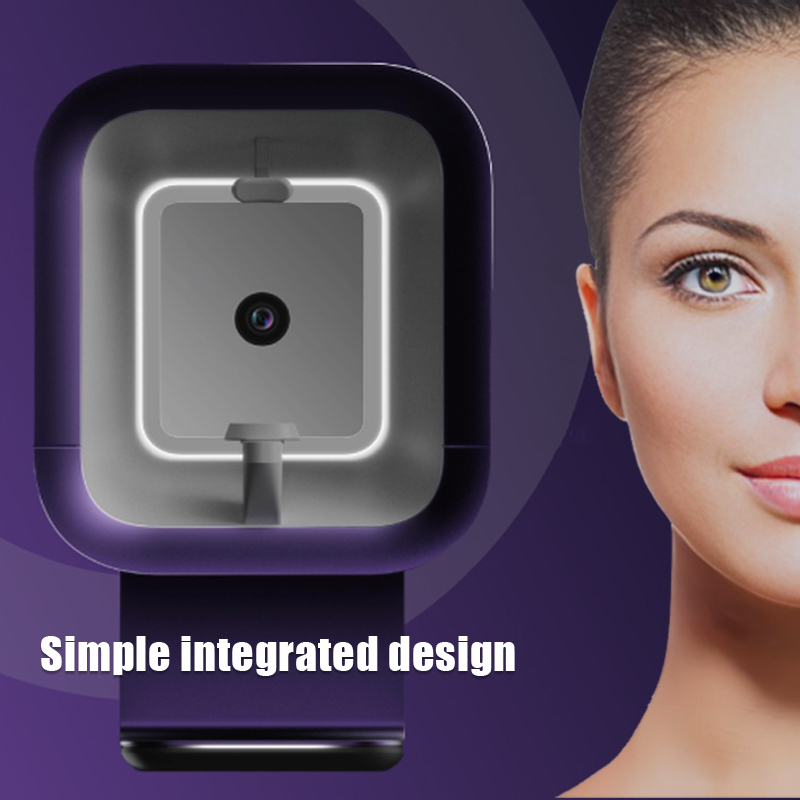
Hardware captures the image, but software dictates the user experience. The operating system must translate complex data into actionable treatment plans. Efficient software removes friction from the consultation process and drives immediate clinical value.
Effective patient management requires a robust internal database architecture. The software must log patient history securely and track progress chronologically. You should look for systems offering side-by-side before-and-after comparison tools. These visual timelines prove your treatment efficacy to doubtful clients.
A premium Windows skin analyzer organizes data intuitively. It allows staff to retrieve past scans instantly via simple search functions. You avoid the chaos of unorganized paper files or disjointed tablet apps. A clean CRM interface builds professional trust the moment a client sits down.
Time is money in any clinical setting. You must assess the exact time it takes from image capture to full report generation. Slow processing creates terrible bottlenecks in high-volume salon workflows Windows skin analyzer setups. The AI algorithm should deliver comprehensive diagnostic results within seconds.
Accuracy depends on the diversity of the algorithm's training data. Ask the vendor how many clinical cases train their artificial intelligence. A broader training dataset means fewer false positives across different ethnicities and skin types. Fast, accurate results keep your daily schedule moving smoothly.
Clients rarely understand raw medical data or confusing charts. They need immediate visual proof of their underlying skin conditions. Superior software utilizes 3D modeling and predictive aging simulations. These tools show clients exactly how their skin will age without intervention.
Capture the patient's multi-spectral images.
Generate a 3D topographical map of their facial structure.
Apply an aging simulation to project future wrinkle depth.
Present the visual data alongside a targeted treatment plan.
This graphical interface transforms a basic consultation into a powerful sales tool. Clear visual communication drives higher treatment conversion rates naturally.
Patient privacy is a strict legal requirement globally. Cloud-only devices often introduce vulnerabilities regarding data sovereignty. A major benefit of Windows architecture is localized data encryption. You can secure patient files on your local clinic network effortlessly.
Evaluate the software's ability to comply with regional privacy standards like HIPAA or GDPR. It should offer password-protected staff logins and role-based access controls. Securing patient data locally protects your business from devastating digital breaches.
Off-the-shelf solutions work well for single-room salons. However, growing clinics and franchises require adaptable software architectures. You must evaluate how deeply you can customize the system to match your specific operational needs.
Brand consistency builds immense authority in the aesthetic industry. Review the materials to see if you can modify the software interface. You want your clinic's logo and color scheme displayed prominently on the patient report screens. This ensures clients associate the high-tech diagnosis directly with your brand.
Some manufacturers also allow exterior chassis modifications. A custom Windows skin analyzer can match the interior design language of your clinic. These subtle branding touches elevate the perceived value of your consultation process.
Automated software recommendations are useless if they suggest products you do not sell. The importance of an editable treatment database cannot be overstated. You must be able to manually input your specific inventory of cosmetic products.
The system should allow you to link your exact laser machines and chemical peels to specific diagnostic triggers. For example, if the machine detects severe porphyrins, it should automatically recommend your specific brand of salicylic acid cleanser. This customization directly boosts retail sales and cross-selling opportunities.
Enterprise clinics rely on interconnected digital ecosystems. You must evaluate if the device software features Open API capabilities. A closed system forces staff into tedious double-data entry.
Integration readiness means the device can connect with external scheduling and billing systems seamlessly. Patient demographics pull directly from your central enterprise system into the analyzer. This connectivity reduces administrative errors and saves hours of manual labor every week.
Even the most advanced hardware fails eventually. The long-term viability of your investment depends heavily on your vendor's infrastructure. You are buying a relationship, not just a physical machine.
A machine down means lost revenue and canceled consultations. You must carefully evaluate the vendor's Service Level Agreements (SLAs). Time-zone alignment is crucial if you operate on a different continent than the manufacturer. Delays in communication cause massive operational headaches.
A trustworthy Windows skin analyzer supplier utilizes remote diagnostic capabilities. Because the system runs on Windows, technicians can securely use remote desktop tools to fix software bugs instantly. This remote access eliminates the need to ship the device back for minor glitches.
Artificial intelligence evolves at a blistering pace. An algorithm from three years ago is already outdated. You must ask the supplier about their frequency of algorithm updates. Clarify their update roadmap before signing any purchase agreements.
Furthermore, determine if updates are free or subscription-based. Some vendors lock crucial diagnostic improvements behind expensive annual paywalls. Transparent update policies protect you from unexpected operational costs down the line.
High staff turnover is a reality in the beauty industry. You cannot afford to spend weeks training every new hire on complex diagnostic machines. Assess the quality of onboarding materials provided by the supplier carefully.
Do they provide comprehensive video tutorials?
Are the user manuals translated accurately into your native language?
Do they offer live virtual training sessions for your lead clinicians?
Excellent training materials minimize staff learning curves. They ensure your team uses the machine confidently from day one.
Medical and aesthetic devices must meet strict regulatory standards. Verify that the hardware carries legitimate CE, FDA (if applicable to your region), or ISO certifications. These marks prove the device meets fundamental safety and electrical standards.
Always demand transparent warranty terms. A standard one-year warranty on parts is a bare minimum. Ensure the warranty covers both physical hardware replacements (like faulty UV bulbs) and critical software bug fixes. Reliable vendors stand behind their engineering with robust, written guarantees.
Making the right purchasing decision requires balancing robust hardware specifications with frictionless software. A high-quality device leverages local computing power to deliver fast, accurate, and visually compelling results. By scrutinizing optical materials, evaluating CRM capabilities, and demanding deep customization, you protect your investment. Furthermore, thoroughly vetting your supplier guarantees you receive the necessary long-term support to keep your business running smoothly.
Your next step is to demand evidence from your shortlisted suppliers. Advise your purchasing team to request a live remote software demo to test the interface speed. Always ask for a comprehensive technical spec sheet before committing to a pilot unit or bulk order. Taking these pragmatic steps ensures you integrate a truly profitable diagnostic tool into your clinic.
A: Yes. A key advantage of Windows-based systems is the ability to process algorithms and store patient databases locally without a continuous internet connection. However, you will need temporary connectivity to download periodic software updates or backup data to an external server.
A: Most current industrial and clinical models require Windows 10 or Windows 11. Suppliers typically recommend the Pro or Enterprise versions. These professional tiers ensure stronger security protocols, better data encryption, and maximum software stability in clinical environments.
A: You should request clinical validation studies directly from the vendor. Ask for a trial period to test the system against known patient conditions in your clinic. Additionally, evaluate the breadth and diversity of the image database the AI was originally trained on.
A: This depends entirely on the supplier's software architecture. Always ask vendors for standard data export formats like CSV or SQL during the evaluation phase. Confirming export capabilities upfront prevents severe vendor lock-in when you decide to upgrade.


